Call Manager – The only true cloud PBX with full UCC services
Call Manager was the first cloud PBX designed specifically for mid-sized and large enterprises and today offers seamless integration of all UCC services. Experience a future-proof communication solution that takes efficiency and collaboration to the next level.

Cloud PBX
Crown developed the first true cloud PBX specifically tailored to the needs of mid-sized and large enterprises. Continuously enhanced over time, the solution now serves as the foundation for a fully integrated UCC platform.
Classic PBX Features
Call Manager includes all the proven functions of traditional PBX systems, ensuring smooth business communication. Familiar features are fully preserved during migration.

Attendant Console
The Call Manager attendant console optimizes call handling at reception desks, enabling fast transfers and high service quality.

Automated Call Distribution (ACD)
Automatic call distribution efficiently routes calls to ensure smooth call flows and better customer experiences.

Interactive Voice Response (IVR)
Intelligent voice menus in Call Manager allow seamless and efficient call routing via keypad or voice input.

Voice Mail
Call Manager offers a flexible voicemail solution with IVR integration, escalation notifications, and AI transcription – ensuring reliability and efficient communication.

Fax
Call Manager supports integration of analog and virtual fax devices as well as fax servers, enabling flexible communication solutions that seamlessly fit into existing workflows.

Hot Desking
Hot desking with Call Manager enables flexible working by providing seamless access to individual profiles and functions from any SIP phone – optimizing space utilization.

DECT Infrastructure
Call Manager supports scalable DECT infrastructure with multi-cell technology, ensuring stable wireless networks and seamless coverage for locations of any size.

Video Conferencing Room Systems
Call Manager supports video conferencing solutions for all room sizes – from small meeting spaces to fully equipped conference rooms. High-quality camera and audio systems ensure a reliable, professional meeting environment.
UCC
Crown’s full-featured UCC solution combines IP telephony, conferencing, chat, and presence in a seamlessly integrated platform. It is purpose-built for mid-sized and large enterprise environments, with a focus on stability, scalability, and open interfaces for tailored integrations. This creates a solid technical foundation for building reliable communication solutions across a wide range of customer scenarios.
Conference
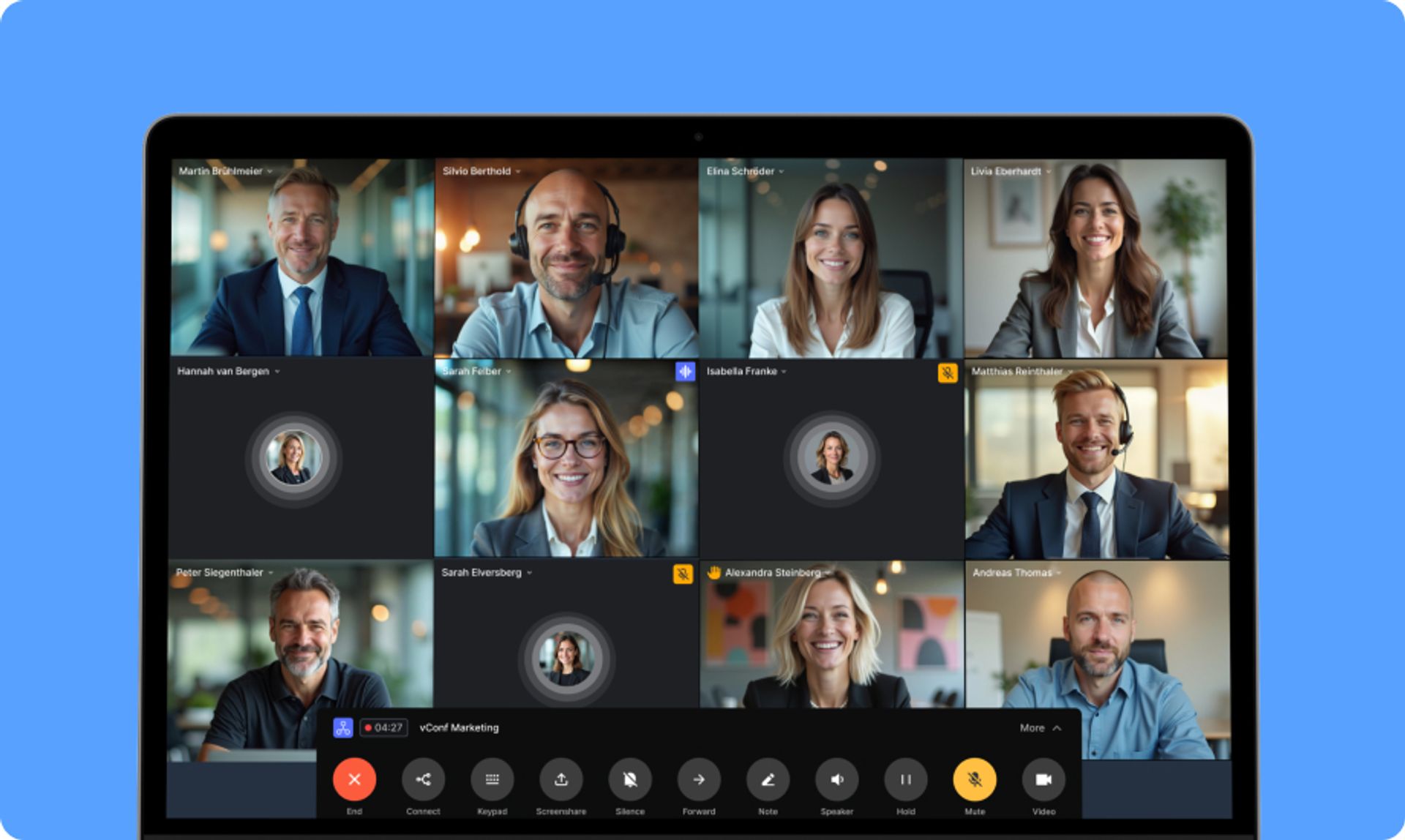
The conferencing feature enables audio and video conferences with screen sharing and dedicated meeting rooms. It supports cross-location collaboration and ensures reliable connectivity—regardless of device.
Chat
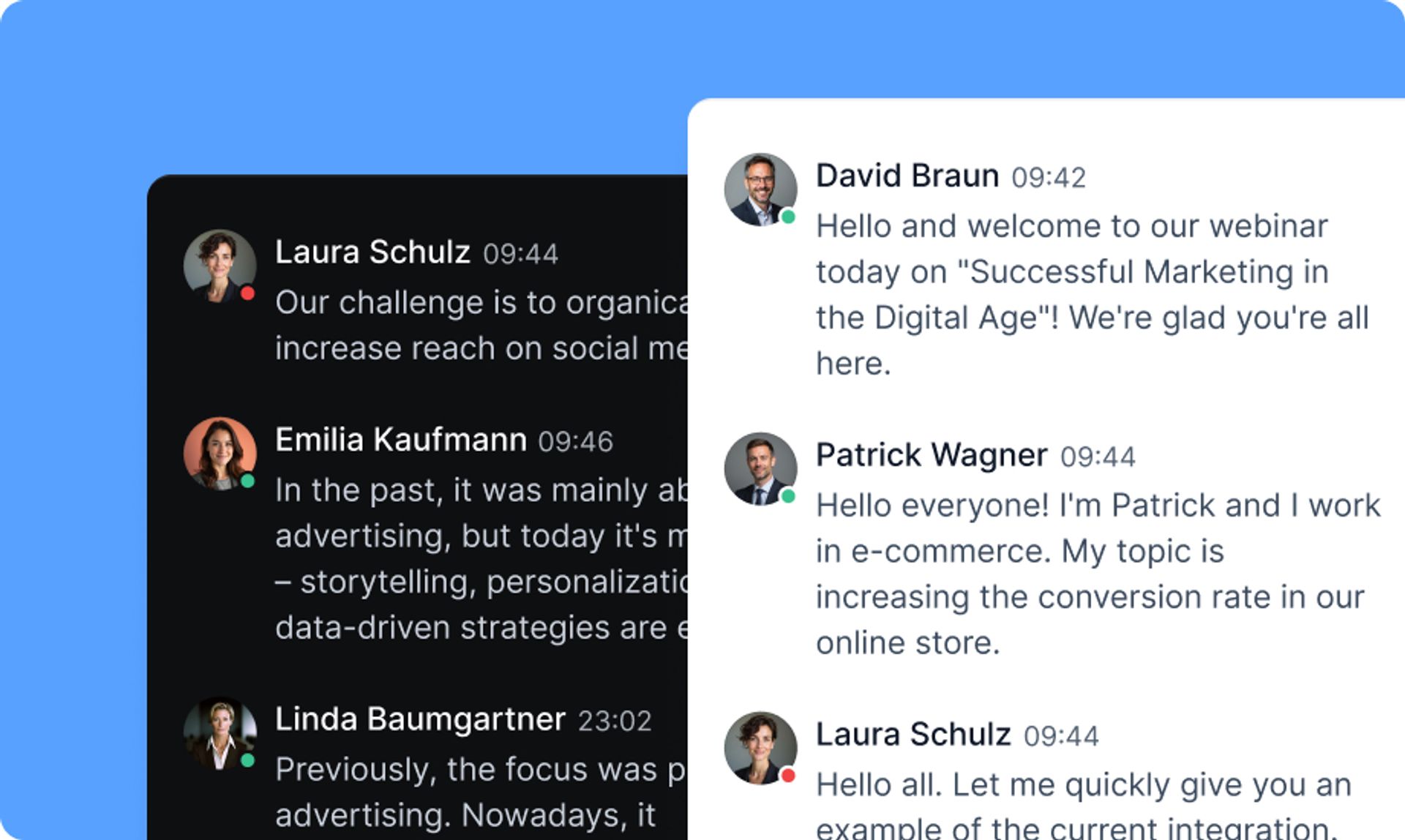
The chat function allows fast communication via one-on-one or group chats. Topic-based rooms and built-in file sharing enable structured team communication.
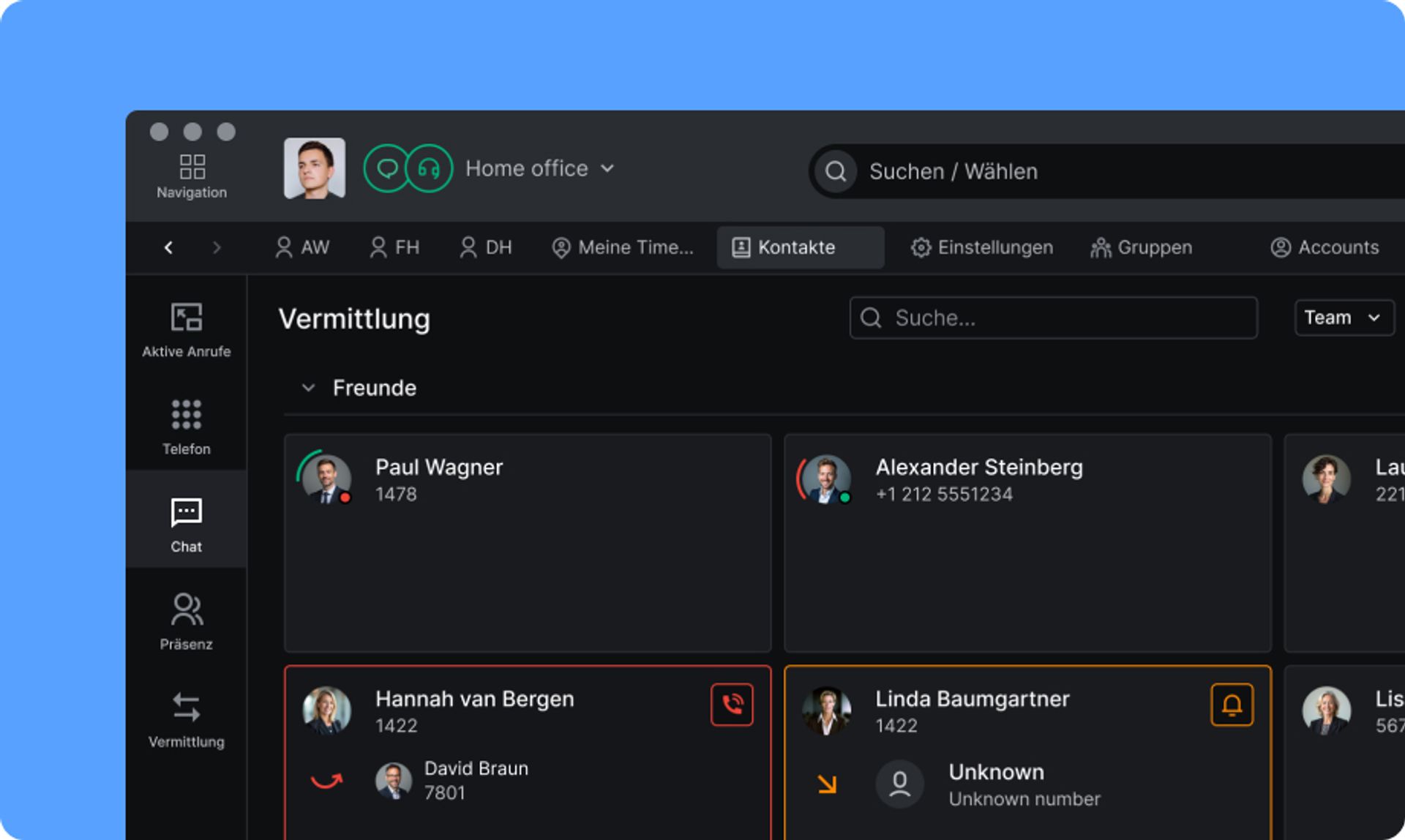
Presence
The presence indicator shows real-time availability, clearly separated by telephony and chat status. This allows for efficient scheduling and smart resource coordination.
CM App
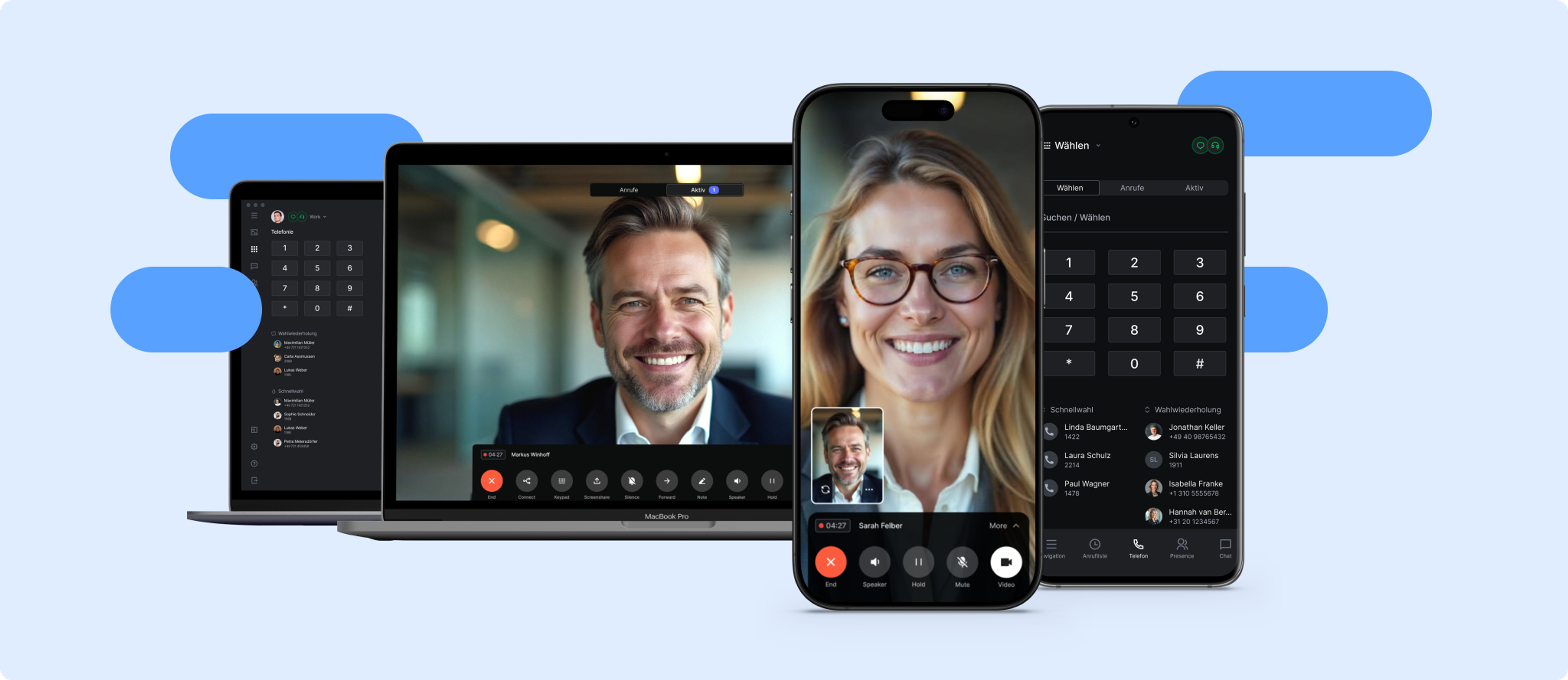
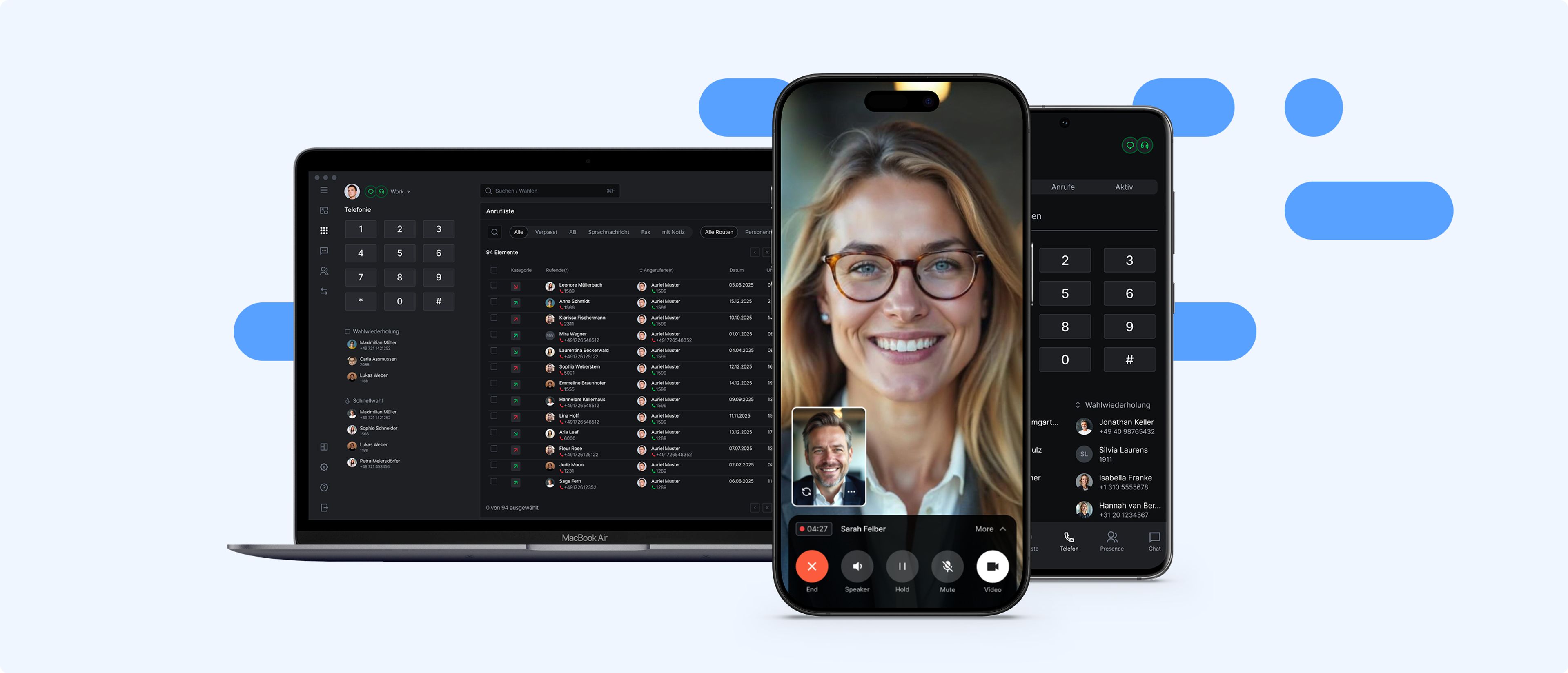
The CM App delivers the full functionality of Call Manager across desktop and mobile devices, providing a consistent communication environment with support for telephony, video conferencing, chat, and presence – regardless of location.
Desktop App
The CM App for Windows and macOS provides the complete Call Manager feature set in a unified interface. All UCC services are seamlessly integrated and optimized for office or remote desktop use.
Mobile App
The mobile version of the CM App for iOS and Android brings core communication features to smartphones. It ensures reliable connectivity, intuitive operation, and flexible accessibility—even in mobile or hybrid work environments.
The CM App is designed to accommodate a wide range of use cases. Both administrators and end users benefit from a flexible UI concept that balances individual needs with centralized control—ensuring a consistent experience across deployment scenarios, from standardized rollouts to tailored workplace setups.
User-Specific Configuration
Users can personalize the CM App interface by rearranging key functions, simplifying views for mobile use, or hiding unused modules—making it easy to match features with daily work needs.
Centralized Admin Controls
IT admins can deploy preconfigured layouts, modules, and design settings across the organization or for specific user groups. These defaults can be locked or made user-adjustable, depending on the intended governance model.
Function Prioritization
Key functions such as calling, chat, conferencing, or presence can be prioritized based on usage context. This results in a streamlined, task-focused interface that adapts to evolving work conditions.
Support for Diverse Scenarios
Whether for call centers, project teams, or mobile units, the CM App’s UI architecture is designed to perform across industries and user roles – without requiring custom development.
The CM App features fully embedded online documentation that is context-aware and accessible directly within the interface. Users can instantly find help on features, settings, and workflows—eliminating the need for external portals or additional software.
Contextual Help
Documentation is linked to specific interface areas, providing users with targeted guidance on the module they’re currently using – without needing to search through manuals or PDFs.
Interactive Guidance
Many entries include clickable UI elements that open the relevant settings directly from the documentation – streamlining configuration and improving workflow efficiency.
Central Maintenance & Live Updates
Documentation is centrally maintained and continuously updated. Changes in the UI or new features are reflected immediately – no customer-side update required.
First-Level Support Enablement
The structured documentation reduces helpdesk inquiries and supports end-user independence during onboarding and everyday use – relieving internal support resources.
The CM App complies with all relevant digital accessibility standards, including WCAG 2.1 and EN 301 549, making it suitable for regulated environments such as public sector institutions or organizations with accessibility mandates. Its implementation emphasizes clarity, usability, and alternative interaction models.
Full Keyboard Accessibility
All CM App functions can be operated entirely via keyboard. Focus navigation is logically structured, visually highlighted, and supports complete navigation without a mouse or touch input.
Screen Reader Compatibility
All relevant UI elements are semantically labeled and readable by screen readers – ensuring accessibility for users who are blind or visually impaired on both desktop and mobile devices.
Contrast-Optimized Display
The UI meets WCAG AA contrast requirements. Color schemes, typography, and status indicators are designed for clear visibility under low-vision conditions.
Scalable & Zoom-Friendly UI
The CM App supports high zoom levels and scalable UI components without content clipping or feature loss – ensuring full usability even with enlarged display settings.
Hardware

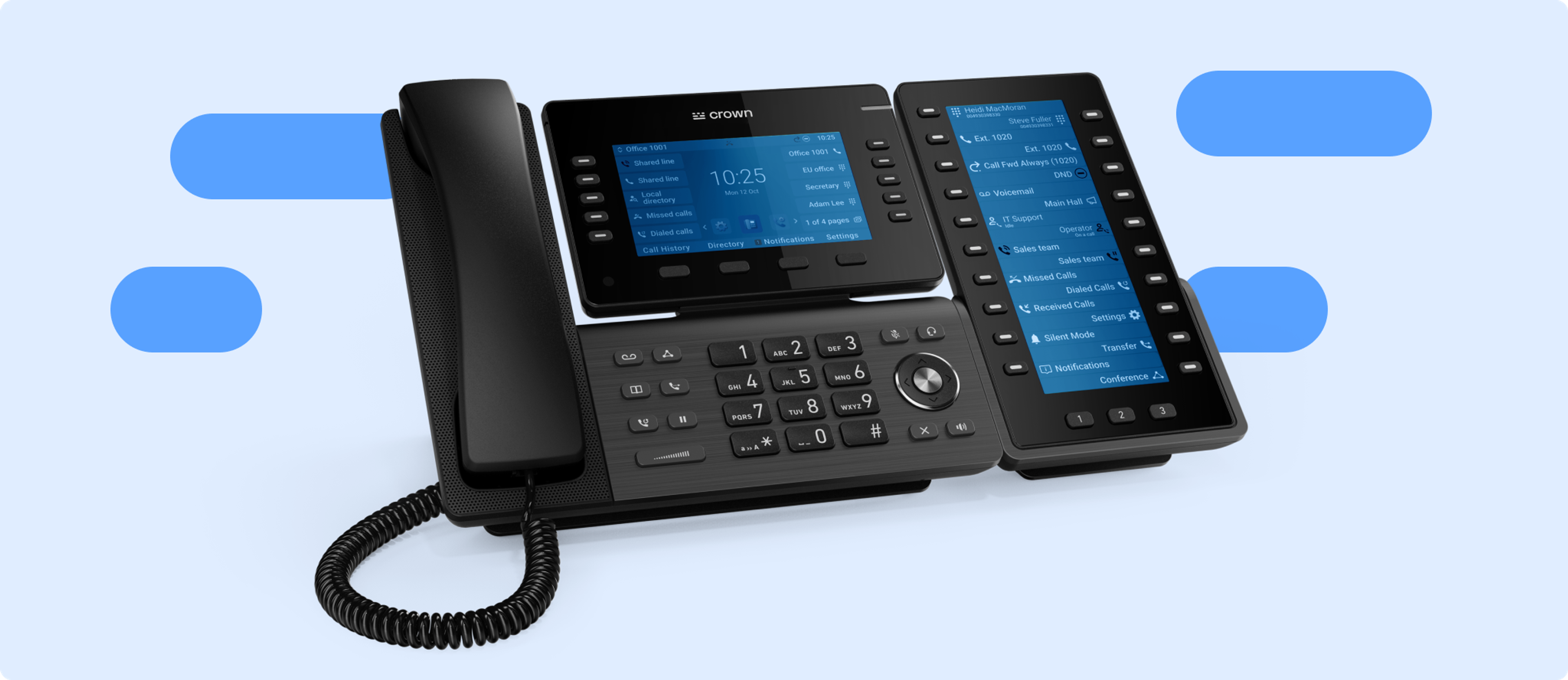
Call Manager supports virtually any SIP-compatible device. A comprehensive whitelist ensures full functionality across all major manufacturers and common models. The selection is further enhanced with headsets that offer added comfort in daily operations.
The Call Manager whitelist documents verified interoperability with a wide range of SIP devices on the market. It serves as the technical foundation for reliable integrations in project deployments and provides clear guidance on hardware selection and operations.
Broad Manufacturer Coverage
The whitelist includes devices from leading vendors such as Snom, Gigaset, VTech, Yealink, Poly, Grandstream, and other proven brands in professional environments.
Model-Specific Compatibility Testing
All listed devices undergo thorough testing for feature support, stability, and compatibility – including advanced functions like BLF, XML menus, and device management.
Ongoing Firmware Verification
Functionality is continually tested against the latest firmware versions to ensure seamless support for new features and vendor updates.
Investment Protection through Reuse
Existing hardware that matches the whitelist can be reused without issue. This facilitates cost-efficient migrations and reduces the need for replacement when switching systems.
Call Manager supports the automatic provisioning of all whitelisted devices. This feature enables centralized, standardized setup and management of SIP phones—both during rollout and day-to-day operations—minimizing manual configuration and increasing operational reliability in large deployments.
Central Configuration Management
Device settings like user assignment, key mapping, codecs, or display configurations can be centrally defined and deployed over the network—no need to access devices individually.
Fast Deployment of New Devices
New phones can be automatically provisioned using preconfigured parameters. Devices pull their configuration via defined provisioning URLs – ideal for bulk rollouts and structured migrations.
Simultaneous Bulk Operations
Configuration changes can be applied across multiple devices simultaneously – saving time, simplifying maintenance, and reducing the risk of errors.
Firmware Management
Firmware updates can be centrally deployed and validated for compatibility. This ensures that all devices remain up to date – secure, stable, and fully vendor-compliant.
CM Local Routing allows SIP devices to exchange media streams directly during internal calls—bypassing central servers or external gateways. This optimizes media handling and reduces strain on network infrastructure.
Direct Media Handling Within the LAN
For internal calls between local devices, RTP streams are exchanged directly – no detour through the central Call Manager or external systems.
Reduced Latency
Local routing minimizes voice setup delays and enhances audio quality—especially important in time-sensitive communications.
Optimized Bandwidth Usage
By keeping voice traffic off external connections, data loads on gateways and VPN tunnels are significantly reduced.
Relief of Central Components
Core servers and trunk resources remain unaffected by internal media flows, improving overall scalability and system stability.
Integrations
Call Manager can be integrated effortlessly into existing IT and communications environments. Through standardized interfaces, modular APIs, and specialized integration solutions, external systems, platforms, and services can be connected with flexibility—ensuring maximum compatibility and streamlined workflows.

External System Integration
Standardized interfaces like TAPI, REST APIs, SIP trunks, and SIP accounts enable direct integration of external systems. Existing infrastructures can be expanded and communication processes embedded efficiently.
- TAPI as Standard Solution
- API for Custom Integrations
- tel-Link
- OmniChannel
- Alarm Systems, Door Intercoms, Barrier Systems
Address Books
Centrally managed contacts from Microsoft 365, Outlook, and CSV or vCard sources can be integrated seamlessly. Automated updates ensure consistent data and provide a reliable basis for address-based applications.
- Microsoft Outlook®
- Microsoft Outlook 365®
- macOS Contacts
- Automatable Imports
Microsoft Teams
Call Manager supports bidirectional presence synchronization with Microsoft Teams. The Teams client can also be integrated as a softphone through compatible solutions—creating a consolidated communications environment based on established tools.
- CM Teams Sync
- CM Teams Connect
OpenID
Identity providers such as Microsoft Entra ID, Apple ID, and Google can be flexibly connected via the OpenID interface. Centralized management of authentication ensures consistent access policies and secure, efficient user administration.
- Microsoft Entra ID
- Apple ID
- Google
Specific Applications
Call Manager provides advanced features designed for complex communication requirements—from AI-powered hotlines, contact center functionality, and call recording to multi-factor authentication, alarm server integration, and centralized administration. All components are seamlessly integrated and flexibly scalable.
AI-Powered Hotlines
The solution enables intelligent, fast, and automated customer interaction – leveraging powerful speech recognition and rule-based dialog flows.
Contact Center and Analytics
Call Manager offers full-fledged contact center functionality with routing, agent management, and queue control. Detailed analytics help measure service quality and performance.
Instant Callback
A callback button on the website connects customers directly to available agents – virtually without delay and fully integrated into the system.
Multi-Factor Authentication
This additional layer of security is based on a secondary identity verification, which can be flexibly activated. The solution supports OpenID and reliably protects user accounts and sensitive data.
Administration and Management
A centralized, role-based admin interface allows flexible control and high levels of automation. Bulk operations and provisioning logic support efficient management—even in complex environments.
Alarm Server Integration
Call Manager can be connected to existing alarm servers, enabling event-driven alerts and immediate responses to security-related incidents.
Call Recording
Conversations can be recorded in compliance with privacy regulations—for quality assurance, traceability, and analysis of customer interactions.